Best WordPress Management Software for Agencies
What to judge a WordPress management tool on, and how WP Octo, WP Umbrella, ManageWP, MainWP, InfiniteWP and WPMU DEV compare for agencies.

There is no single best WordPress management tool. There is a best tool for an agency of your size, on your kind of hosting, with clients who care where their data lives. A ten-person agency with 200 WooCommerce shops on managed hosting needs something different from a freelancer with 25 brochure sites on cheap shared plans.
This guide first sets out the criteria we would use to choose, then goes through the six tools agencies most often shortlist: WP Octo, WP Umbrella, ManageWP, MainWP, InfiniteWP and WPMU DEV. Prices are the vendors’ own figures at the time of writing (October 2026). Check them before you sign anything, because they change. For the routine itself, see our guide to WordPress maintenance for agencies.
What to judge a tool on
Hosted or self-hosted
A hosted dashboard (SaaS) is run by the vendor. You install a plugin on each site and the vendor keeps the dashboard running. A self-hosted dashboard, as with MainWP and InfiniteWP, runs on a server you control. You keep the data in your own hands and usually pay less, but you have taken on another production system to patch, back up and keep online.
Our rule of thumb: self-host only if someone on the team likes running servers and has time for it every month.
How updates are made safe
Every tool can click “update all”. The difference is what happens around that click. Look for four things: a backup or restore point taken before the update, a visual comparison of key pages before and after, automatic rollback when the site breaks, and a maintenance mode so visitors never see a half-updated shop. Also check whether the tool runs the database updates that WooCommerce and Elementor ask for after a plugin update, or only tells you they are waiting.
Then ask what the pre-update backup contains. A copy of the plugin folder lets you put the old code back. It does not undo changes the update made to the database, so before a big round you still want a recent full backup in place.
Backups and where they live
Three questions: how often (daily is the minimum for a shop, hourly for a busy one), where the copies are stored, and how long they are kept. A backup that only lives on the same server as the site is no help when that server dies. A backup that only lives with the vendor ties your restore points to your subscription. The sound setup keeps a copy off the server, in storage you can name when a client asks.
Monitoring
What separates the tools is false alarms. A check from one location that hits a brief network problem will wake someone at three in the morning for nothing. Confirmation from a second location, warnings before an SSL certificate expires and an incident history you can show a client are worth more than a one-minute interval.
Security
Vulnerability alerts for installed plugins and themes are the baseline, and several tools take them from Patchstack. Some build in login hardening, 2FA and detection of changed files. Others sell security as a per-site add-on or point you to Wordfence or Sucuri. Decide if you want security inside the maintenance tool or as a separate plugin you already know well.
Client and team features
Once you pass a handful of people, you need team roles, a record of who did what, and sites grouped by client. Some also want a client login, their own logo and a white-label plugin. Client reports matter if you sell maintenance as a visible service: check languages, scheduling and whether the vendor’s watermark sits on the PDF.
Pricing per site or flat
Per-site pricing looks cheap at €2 or $1 a site and grows in a straight line with your portfolio. Flat pricing looks expensive at the start and gets cheaper with every site you add. Say you have 60 sites and pay €2 per site per month for one add-on. That is €120 a month, €1,440 a year, for one feature. Add a second add-on and the per-site model overtakes a flat plan quickly.
Hosting compatibility
If your clients sit on cheap shared hosting, test there first. Typical limits are a 30-second PHP execution time and 128 MB of memory, with no SSH and no WP-CLI. Host firewalls also block requests that look automated, cutting a dashboard off from a healthy site. A tool that works in small steps, and where the site contacts the dashboard rather than the other way round, is far less likely to get stuck there.
Data location and GDPR
For your clients’ sites you are the processor, and the maintenance tool is your sub-processor. Backups contain customer databases, order history and personal data. Know which company holds them and in which country, and put that in your data processing agreement. For an EU agency, a vendor that stores data in the EU makes the conversation with a client’s privacy officer a lot shorter.
The six tools
WP Octo
WP Octo is a European hosted platform for agencies, freelancers and hosting companies, with data stored at Hetzner in Germany and Finland. Its focus is on making update rounds safe: scheduled rounds per package or site, maintenance mode during the round, a backup of what is being updated, a visual comparison of chosen pages, and automatic rollback of a plugin that breaks the site, after which that version is held back. Translation updates and the database updates of plugins such as WooCommerce and Elementor run in the same round.
Backups run hourly to monthly, incrementally, kept on the site, in external storage or both. Monitoring confirms an outage from a second location before it alerts anyone, and there is an on-call rota with escalation, a health score per site and Lighthouse reports. Security is built in: vulnerability checks, changed-file detection, an activity log, bot protection without a captcha, login hardening, 2FA and security headers.
On the business side there are clients, maintenance packages, team roles, a client login, your own branding, a white-label plugin, a public API and a WHMCS module.
Best for agencies and hosts with many sites on mixed or limited hosting who want all of it in one hosted place, with data in the EU. It works on shared hosting without SSH or WP-CLI, in steps that fit within 30 seconds and 128 MB, and the site contacts the platform itself, so it keeps working behind firewalls that block inbound requests. The trade-off is that it is a hosted service: if you want the dashboard and its data on your own server, MainWP is the better fit. See the full feature list, pricing and how it compares with each tool below on the comparison pages.
WP Umbrella
WP Umbrella is a French SaaS (LIVEN STUDIO SAS, Lyon) with its app hosted in France. About €1.99 per site per month, no minimum, with a 14-day trial. Security (malware scan, firewall, activity log and file integrity) is an add-on at €2 per site, and hourly backups are another €2.49 per site.
Updates cover plugins, themes, core and translations, with scheduling by day and time. Its Safe Update backs up the plugin or theme folder; the advanced version compares screenshots and rolls back automatically. Monitoring is broad: uptime at 1 to 60 minute intervals from five regions, SSL and domain expiry, PageSpeed, PHP errors, broken links and vulnerability checks through Patchstack. Backups go to WP Umbrella’s own servers in France and are kept for 50 days; you cannot send them to storage of your own. There is no maintenance mode.
Client reporting is where it shines: white-label, PDF or email, scheduled, in more than 25 languages including Dutch. The dashboard is in English, French and German, and there is a public API.
Best for agencies that sell maintenance on the strength of polished monthly reports and are happy with per-site pricing and vendor-held backups. The trade-off is the add-ons: with security and hourly backups on every site, 60 sites go from about €119 to roughly €389 a month. More detail in WP Octo vs WP Umbrella.
ManageWP
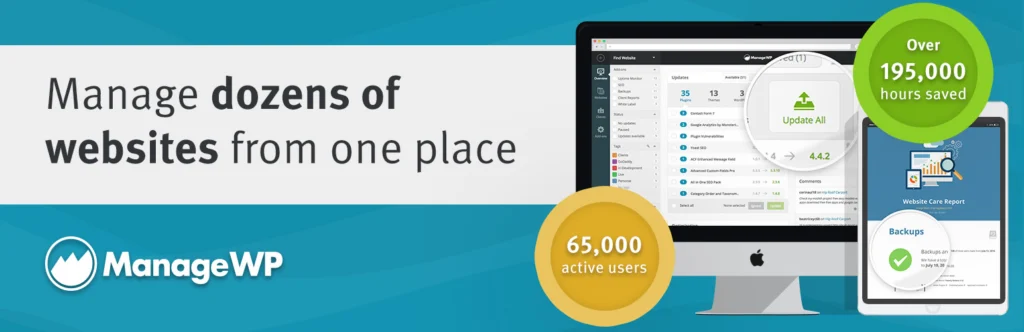
ManageWP, part of GoDaddy, has the most generous free tier of the six. For unlimited sites you get updates (including translations), scheduled updates, vulnerability detection through Patchstack, one-click login, a monthly backup, maintenance mode and a watermarked PDF client report. Paid add-ons are mostly $1 per site per month or $25 per bundle of 100 sites; backups are $2 per site, and an all-in-one package costs $150 a month.
Safe Updates (a restore point, a visual comparison of one page and rollback on 4xx or 5xx errors) is a paid add-on that needs the backup add-on behind it. Backups go up to hourly, in US or EU storage, kept 90 days. Database updates for WooCommerce and Elementor are detected but not run. We could not find a public API, and the dashboard appears to be English only.
Best for freelancers and small agencies starting out, who want a free dashboard and pay for extras only on the sites that pay for them. The trade-off is that the add-on model needs watching as you grow. See WP Octo vs ManageWP.
MainWP
MainWP is open source and self-hosted: the dashboard is a plugin on a WordPress site you run yourself, and each managed site runs MainWP Child. The free core covers unlimited sites with updates including translations, scheduled updates with a delay, rollback on a failed update, uptime monitoring from your own server (email alerts only), clients, a public REST API and CSV import. Pro is one flat plan with more than 30 add-ons, including reports, white label, regression testing and Lighthouse: $29 a month, $199 a year or $599 lifetime.
Built-in backups arrive with Dashboard 6.4, which is a release candidate in October 2026; until then you use plugins such as UpdraftPlus or BackWPup. Security runs through integrations with Wordfence, Sucuri, Jetpack and Patchstack. The dashboard is partly translated into Dutch.
Best for technical agencies with many sites who want their data on their own server and a flat cost. The trade-off is that you run, secure and back up the dashboard server yourself, and assemble backups and security from separate parts. See WP Octo vs MainWP.
InfiniteWP
InfiniteWP is also self-hosted: an admin panel on your own PHP and MySQL server plus the InfiniteWP Client plugin on each site. The free core does one-click updates, backups and restore, one-click login, a plugin and theme overview and bulk installs. Paid plans are priced by number of sites, roughly $147 to $647 a year, with every add-on included, from scheduled backups and cloud storage to staging, client reports and white label.
Uptime, malware scanning and 2FA come from third parties (UptimeRobot, Sucuri, Wordfence and Duo). We found no backup before an update, no visual check, no automatic rollback and no scheduled updates.
Best for agencies that want a self-hosted panel with one predictable yearly bill and are comfortable checking updates by hand. The trade-off is that the safety around updates is your job. See WP Octo vs InfiniteWP.
WPMU DEV
WPMU DEV (Incsub, an American company) centres on The Hub, a dashboard tied to its own plugins: Defender for security, Snapshot for backups, Hummingbird for performance, SmartCrawl for SEO and Branda for branding, plus its own hosting. There is a free Hub with limits: weekly automatic updates, monthly backups, one team member, and scheduled reports only on paid plans. Paid plans run from about $50 a year for one site to Premium at $9.99 a month for unlimited sites.
Updates come with a backup beforehand, a visual safe update check and a restore button if something fails. Uptime is checked every 2 minutes from one US location. There is client billing through Stripe, a client portal on paid plans and white-label reports. Hourly backups, staging and server logs are only available on WPMU DEV hosting. Backups are stored in the US or the EU.
Best for agencies willing to standardise on one vendor’s plugins and ideally its hosting, and who want billing and a client portal in the same place. The trade-off is that the more of it you use, the harder it is to leave. See WP Octo vs WPMU DEV.
How to choose, by situation
A freelancer with 10 to 30 brochure sites
Start with ManageWP’s free tier and add backups on the sites that need them, or with WP Umbrella if you want reports from the first month. Once clients pay for maintenance, compare the per-site sums with an all-in-one platform.
An agency with 50 to 300 sites on mixed hosting
This is where safe update rounds, off-server backups and monitoring without false alarms pay for themselves, and where per-site add-ons start to hurt. WP Octo is built for exactly this case, especially if clients sit on shared hosting or you need data in the EU. WP Umbrella fits if the monthly report is what your clients are really buying.
A technical agency that wants control
MainWP, if you are happy to run a server. Budget a few hours a month for its upkeep and choose your backup plugin up front. InfiniteWP if you prefer one yearly bill and do not need automated safety around updates.
A hosting company
Look at data location, white label and billing integration first. WP Octo’s WHMCS module and white-label plugin are aimed at hosts; WPMU DEV makes sense if you want its hosting stack as a whole.
Two follow-ups go further: the best ManageWP alternatives and the best WP Umbrella alternatives.